Alt Text, Done Right: The Overlooked SEO + Accessibility Win
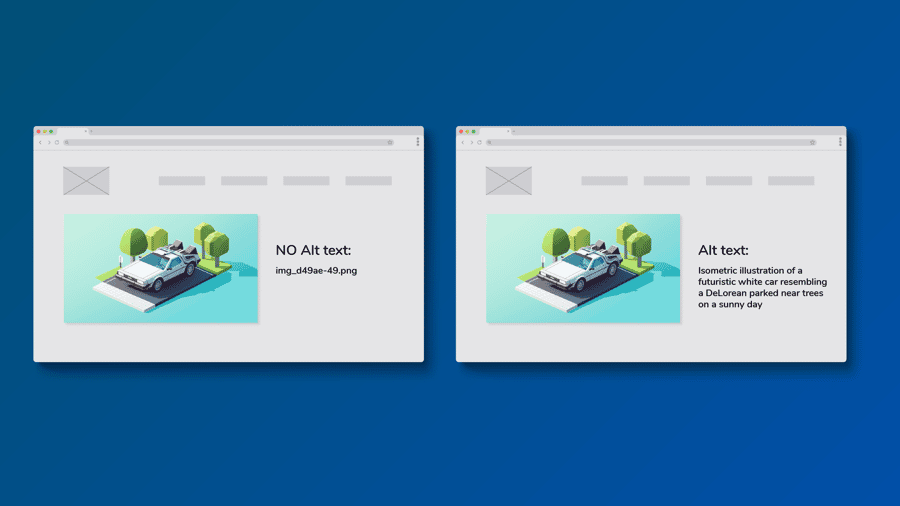
Somewhere on your site right now there is a photo Google reads as IMG_4032.jpg and a screen reader announces as image. Alt text is the one-line description that fixes both, and it may be the most skipped field on the web because skipping it never looks broken. The cost is real: search engines cannot rank photos they cannot parse, and visitors using screen readers hit a wall your sighted visitors never see. The fix costs a sentence per image. This guide covers how to write alt text that works, what to leave blank on purpose, and a routine for clearing your backlog in one sitting.
If you manage a website—any website—you've got hidden opportunities sitting in plain sight: your images.
Most small sites overlook alt text, even though it's one of the simplest ways to:
Let's fix that.
What alt text actually does
Alt text (the alt attribute in an image tag) describes what an image shows and why it's there.
<img src="/logo.svg" alt="StoryPress Logo" />
It's read aloud by screen readers, displayed if an image can't load, and scanned by search engines to understand content.
Think of alt text as context, not decoration. It tells a non-visual visitor what matters about the image in that specific page.
Why it matters more than ever
Missing alt text remains one of the top accessibility errors online. WebAIM's 2025 study found over 55% of homepages have missing or useless alt text. Google explicitly says descriptive alt text helps it understand your images and improve visibility in Image Search. And when images fail to load—slow networks, email clients—alt text preserves meaning and flow.
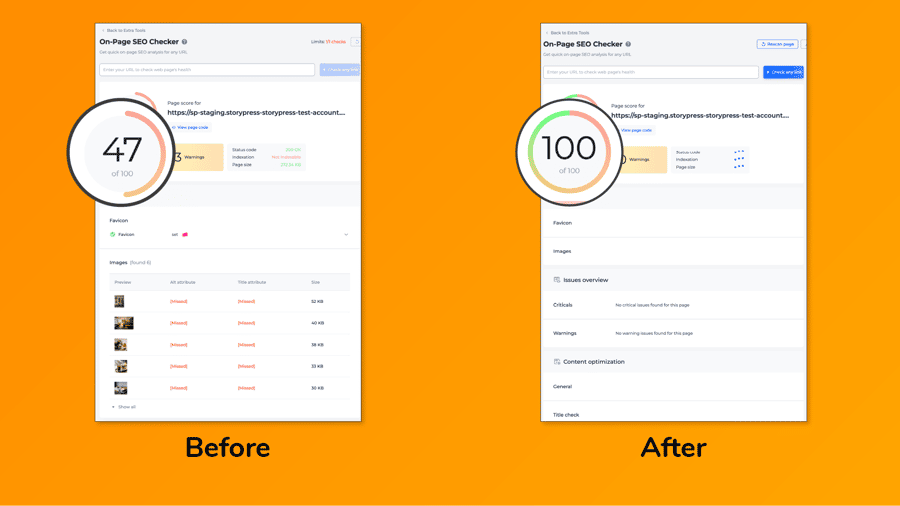
It's one of the few things that improve both compliance and SEO in one shot. Tools like sitechecker.pro can scan your site for missing alt tags:
5 rules for great alt text
The ten-second formula: describe it like you're on the phone
Imagine a friend is on the phone and you need to tell them what's in the image. You wouldn't say 'image' or 'photo1-final-v2'. You'd say 'our head barber giving a fade in the Brooklyn shop.' That's it — that's good alt text. Not sure whether an image even needs a description? Follow the arrows:
There's also a legal angle
In the US, thousands of lawsuits are filed every year against businesses whose websites don't work with screen readers, under the Americans with Disabilities Act. Small restaurants, dentists, and shops get these demand letters, not just big brands. Missing alt text is one of the first things automated accessibility scanners flag.
Nobody should write alt text out of fear. But if you needed one more reason to spend an afternoon on this, 'it materially reduces legal exposure' is a decent one.
How to fix your site this week
Make it easier (and automatic)
Here's the part most people miss: you don't have to write every alt tag by hand. Tools like n8n, AI captioning models, and StoryPress's structured image fields make it possible to generate and validate alt text in batches. A StoryPress user recently built a flow that pulls all images from a Lightroom library, uses AI to generate context-appropriate alt descriptions, and syncs them back into their CMS.
One hour spent fixing alt text can make your site more discoverable, more compliant, and more human.