The Favicon Fix: The 5-Minute Branding Upgrade Most Sites Miss
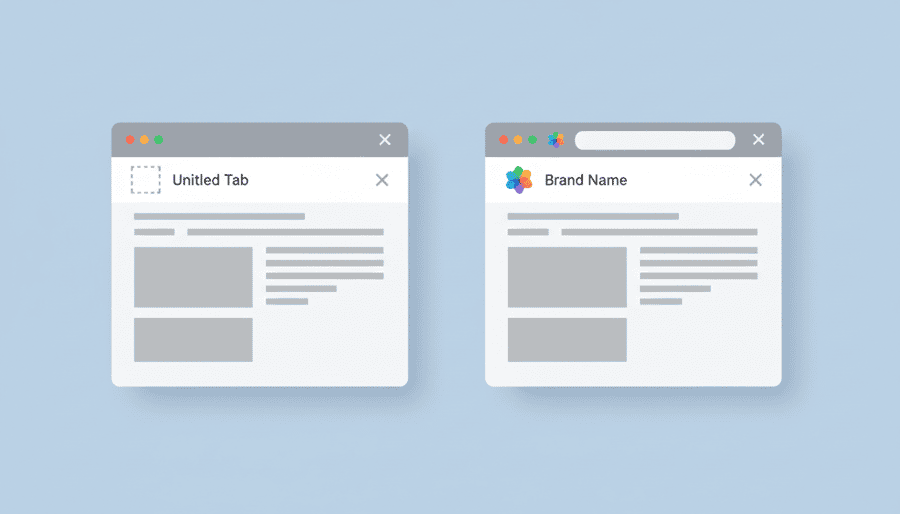
Open your site in a browser tab right now and look at the icon, not the page. If it is a grey globe or your platform's default logo, that is what every bookmark, every tab bar, and every history list is showing people about your brand. The favicon is the smallest asset on your site and works in more places than your logo does, yet it ships broken or missing on a huge share of small business sites because nobody ever looks at their own tabs. This five-minute fix covers creating the right sizes, installing it on any platform, and forcing browsers to drop the cached old one.
Your browser tab icon (the favicon) is often the first piece of your brand people see. When it is missing or generic, your site immediately feels unfinished. The fix takes five minutes, but most site owners never do it because the setting is buried three menus deep.
This guide walks you through what favicons are, why they matter, and exactly how to check and fix yours.
Why Your Browser Tab Matters More Than You Think
Favicons influence more than aesthetics:
When your favicon is a generic globe or a blank square, you are losing micro-moments of brand recognition all day long.
What Favicons Actually Are (and Why Google Cares)
A favicon is a small brand icon used in:
Google and modern browsers expect a clean set of favicon files in multiple sizes. If they are missing or inconsistent, browsers fall back to defaults or show broken icons. Google's own guidelines require a favicon of at least 48x48 pixels, and they will not display one that violates their content policies.
Why DIY Builders Often Ship With Broken or Generic Favicons
Common issues across major website builders:
The result: what appears in your visitors' browser tabs is unpredictable. You might see your logo on Chrome desktop but a broken icon on Safari mobile.
How StoryPress Handles Favicons Automatically
StoryPress takes a different approach to favicons:
No default favicon. StoryPress sites start without a preset icon, so you never ship with a generic symbol. Your tab presence is fully branded from day one because you make a conscious choice.
Brand-aware browser metadata. StoryPress uses your primary brand color for supported browser UI elements (the address bar tint on mobile, the tile color on Windows). Your site feels branded even before you upload an icon.
Clean, conflict-free implementation. One consistent metadata setup with no overlapping favicon files or theme conflicts. Upload your icon once and it works everywhere.
When and How to Customize Your Favicon
The actual steps:
Once uploaded, a properly configured site handles generating the required favicon versions for every browser and device.
Quick Tests to Verify Your Favicon Works Everywhere
Run through these four checks:
1. Open your site in multiple browsers. Check Chrome, Safari, Firefox, and Edge. The icon should appear in the tab within a few seconds of the page loading.
2. Bookmark your site. The favicon should display clearly in your bookmark bar, not as a generic page icon.
3. Add your site to a mobile home screen. On iOS (Share > Add to Home Screen) and Android (menu > Add to Home Screen), your icon should look clean and properly sized.
4. Use an online favicon checker. Tools like realfavicongenerator.net/favicon_checker will validate cross-device support and identify missing assets.
If any of these fail, your favicon setup needs work. The fix is usually uploading a higher-resolution source image and making sure your site generates all the required sizes.
Favicons may be small, but they are a powerful brand signal. Take five minutes today to check yours and give your site an instant credibility upgrade.
On StoryPress, favicons and browser metadata are handled automatically. $5/month, no plugins to configure.