Broken Links and 404s: Find Them, Fix Them, Stop Losing Visitors
Every site accumulates broken links as it grows. Pages get renamed, posts get deleted, a URL changes during a redesign, and a partner site you linked to three years ago quietly dies. Each dead link costs you twice: a visitor hits a wall and leaves, and Google wastes crawl budget on pages that no longer exist. The damage compounds slowly enough that most owners never notice until rankings slip. This guide shows you how to find every broken link on your site with free tools, fix each type the right way (redirect, update, or remove), and verify the cleanup actually worked.
One stray character is enough to break a link. Rename a page from /menu to /our-menu, delete an old service you no longer offer, or fat-finger a URL in a blog post, and somewhere on your site a visitor now hits a dead end: the 404 'page not found' screen.
Here is the part that stings. That visitor almost never hunts for the right page. They hit back and click a competitor instead. And every other website that linked to your old address (a local directory, a newspaper mention, a partner's site) is now pointing its authority at a wall.
The good news: finding broken links is free, fixing them takes minutes each, and there is a simple rule for choosing the right fix every time. Let's do it.
Step 1: Find every broken link (two free checks)
Check A: what Google already knows
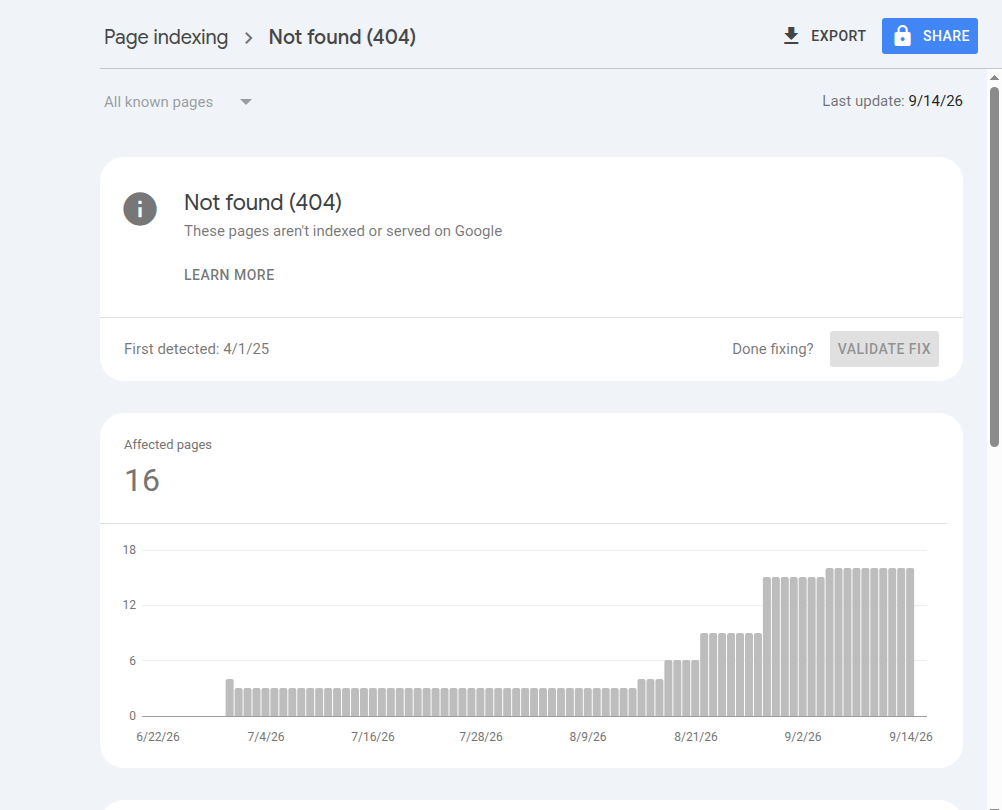
How to verify: click any URL in the list, then 'Inspect URL'. The report shows you the referring page when Google knows it, which tells you where the bad link lives.
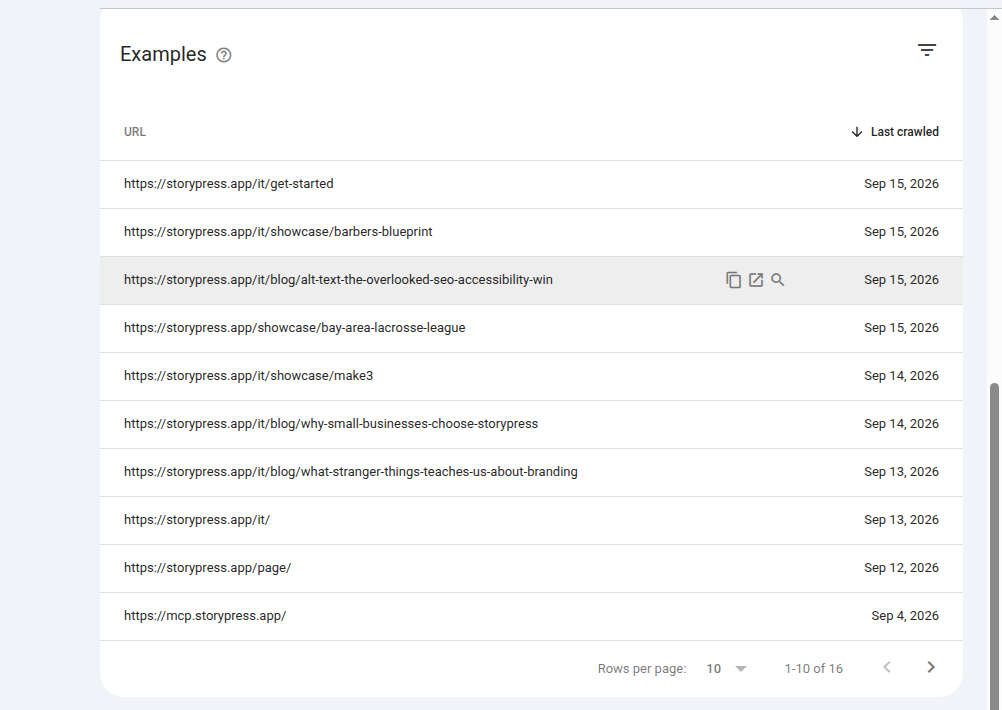
Check B: broken links inside your own pages
Search Console only shows what Google stumbled into. For a full sweep of your own pages, run a crawler once a quarter:
Write each broken URL in a simple two-column list: the dead address, and the page it should really go to (if one exists). That second column is your whole repair plan.
Step 2: Choose the right fix (one question)
Every broken link resolves with the same question: is there a page on your site today that covers what the dead page covered? Your answer picks the fix.
A 301 redirect is a permanent forwarding address. The browser silently carries the visitor to the new page, and Google's own documentation confirms a permanent redirect passes the old page's ranking signals to the new one. That is why a 301 to a genuinely related page beats letting the link die: you keep the visitor and the authority.
A 302 is the temporary version, meant for short-lived situations like a page briefly down for maintenance. If the move is forever, use 301. If you deleted the page on purpose and nothing replaces it, a clean 404 is honest and Google is fine with it; 404s only hurt when a real page people want now returns one.
Step 3: Apply the fix, case by case
Here is the full repair menu, matched to what actually happened to the page:
Most website platforms have a built-in redirects panel where you paste the old path and the new one; no code involved. On StoryPress you can skip the panel entirely and just tell the AI 'redirect /menu to /our-menu', which is the whole reason we built editing this way: the $5/month plan handles chores like this by asking.
Redirect do's and don'ts
Step 4: Verify every fix
A fix is not done until you have watched it work. Two checks, thirty seconds each:
Then put a reminder in your calendar: re-run Step 1 once a quarter. Broken links are not a one-time cleanup, they are entropy; every site that grows accumulates them.
A broken link is a customer you already earned, walking into a locked door you forgot about.
How to set up a redirect on StoryPress
If your site runs on StoryPress, the redirect side of this guide takes about a minute per link, and you have two routes.
Route 1: you rarely need one. When you rename a page or folder in StoryPress, the platform records the move and redirects the old address automatically. The most common cause of 404s on other platforms simply does not happen here.
Route 2: manual rules for everything else (a deleted page, a URL you inherited from an old site, a typo that got shared). In your dashboard, open Theme, then Advanced, and choose Add a Redirect Rule. Each rule has four fields:
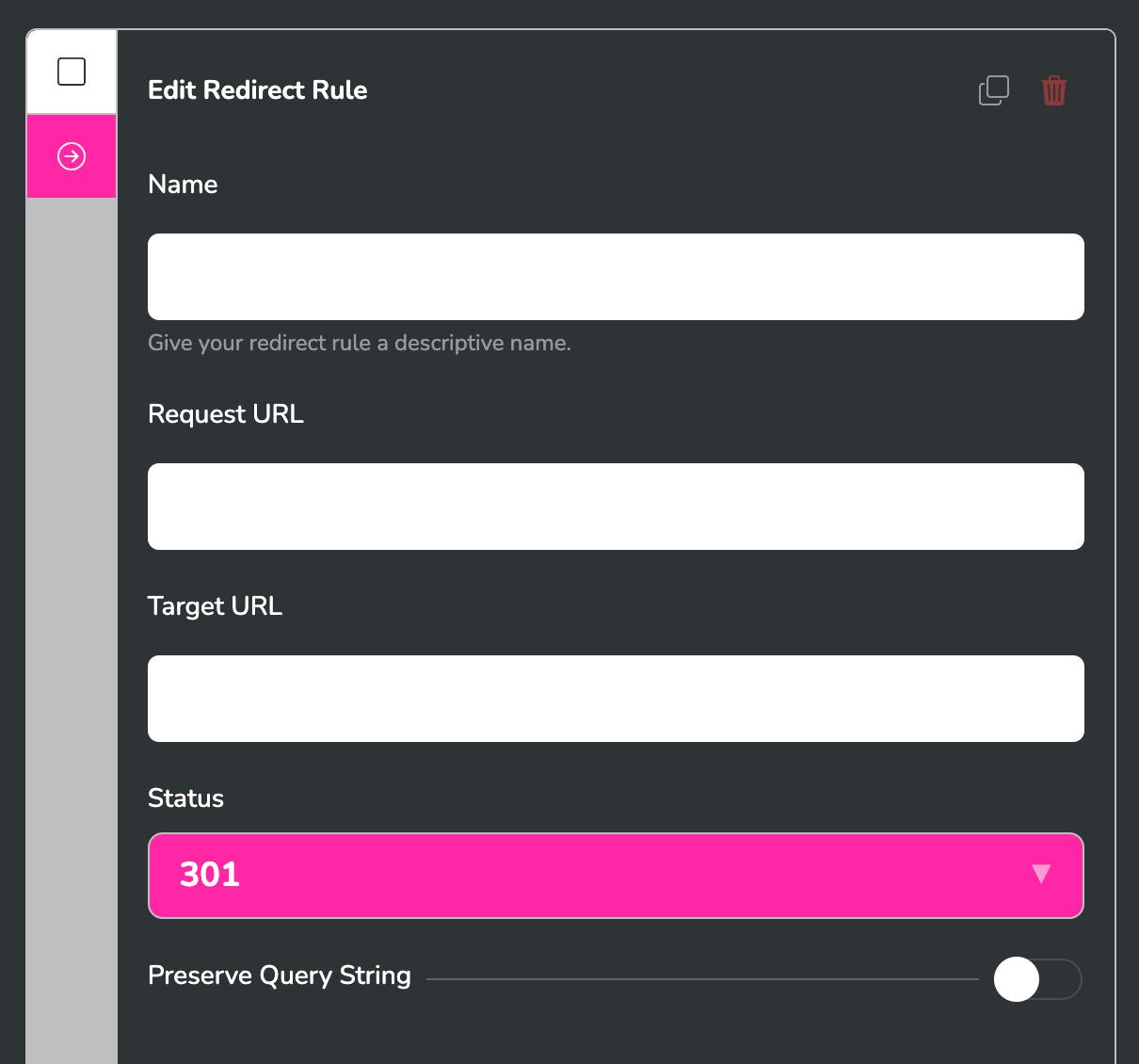
There is also a Preserve Query String toggle: leave it on, so a shared link like /old-services?ref=newsletter carries its tracking through to the new page. Save, then verify the hop with the checker from Step 4. And if you would rather not click through menus at all, this is StoryPress: you can just tell Claude "redirect /old-services to /services/drain-cleaning" and the rule is created for you.