Your Social Links Look Broken: Fix Your Open Graph Image
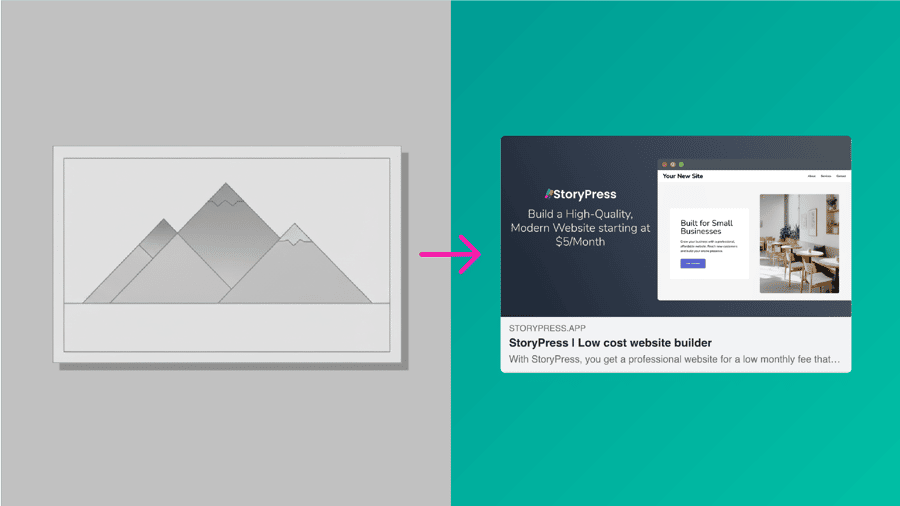
You paste your link into a group chat, a LinkedIn post, or a client email, and the preview comes up as a grey box with no image and a half-sentence of text. Every competitor's link unfurls into a clean card with a picture. That card is controlled by a handful of Open Graph tags, and most site owners have never heard of them because nothing on the site itself ever looks wrong. The damage happens everywhere else: every share, every DM, every embed. This guide shows you how to see what your links look like when shared, set the image and text yourself, and force the platforms to refresh.
When someone shares your website on Facebook, LinkedIn, Slack, or iMessage, the first impression is not your homepage. It is the preview card. And for most small businesses, that preview is not great.
Blurry images. Random crops. Generic text. Or nothing at all.
The good news: this is one of the easiest high-impact fixes you can make.
Why Your Link Looks Wrong
If your shared link displays the wrong image or text, it is not the platform's fault. It is caused by missing or incorrect Open Graph (OG) tags, the metadata social networks use to build preview cards.
Without OG tags, platforms guess. And they usually guess wrong.
What Open Graph Tags Do (Plain English)
Open Graph tags tell social platforms exactly what to show when your URL is shared.
Every page needs four tags:
If these fields are not set, your preview may look unprofessional or inconsistent.
Why DIY Builders Often Break Social Previews
Common issues on Wix, Squarespace, Webflow, and hosted WordPress include:
The result: pages across your site produce inconsistent previews.
How StoryPress Fixes Social Metadata
StoryPress avoids the typical pitfalls by giving every content type clean metadata defaults and simple override fields.
Clean defaults everywhere. StoryPress ships with the correct OG tag structure already in place. You are never left with a blank or broken preview.
Page-level, post-level, and collection-level controls. Every content item includes dedicated fields to set a custom OG Image, OG Title, and OG Description. Full control when you need it, without extra configuration.
Brand color auto-applied. Your preview cards inherit your site's primary color, keeping your brand consistent across platforms.
No plugins or coding required. Everything is handled through native meta fields. Nothing to install, configure, or maintain.
What Makes a Good OG Image
A quick checklist:
Clean, bold visuals perform best.
Facebook og:image: Sizes and Common Errors
Facebook is the pickiest platform about preview images, and it is where most broken cards show up. Here is what its crawler actually wants, straight from Facebook's sharing documentation:
Three Facebook-specific problems come up constantly:
The image is cropped or sized wrong. Facebook crops anything that is not 1.91:1 from the center. If your logo or headline sits near an edge, it gets cut. Export a dedicated 1200x630 image instead of reusing a vertical photo.
The first share shows no image at all. Facebook fetches your image asynchronously, so the very first share of a fresh URL can render a blank card. Adding og:image:width and og:image:height tags tells Facebook the dimensions up front so the card renders correctly on first share.
You changed the image but Facebook shows the old one. Facebook caches previews aggressively. Paste your URL into the Sharing Debugger and click "Scrape Again" to force a refresh. The new image appears within seconds.
Quick Test: See What Your Preview Looks Like
Paste your URL into these tools:
You will see the exact card others see when sharing your site.
If something looks off, update your meta tag fields. It takes less than a minute.
If the debugger reports errors beyond the image, we have covered those too: see Open Graph errors explained for the full error list, and the og:url not matching canonical guide for the most common one.
On StoryPress, OG tags are generated correctly per page automatically, including the width and height tags Facebook wants. No plugin to install, no code to write. $5/month.