The Client Handoff That Stops Late-Night Edits

There is a version of every agency where half of Tuesday disappears into two-line copy edits for sites that launched months ago. The client cannot change a headline without you, so every typo becomes an email, every seasonal update becomes a ticket, and neither side is happy about the arrangement. The problem is not the client; it is a handoff that made you the only person who can touch the site. This guide covers the handoff that ends it: what to set up before launch, what to teach in the last meeting, which platforms make client editing safe, and where the line sits between edits and rebuilds.
Every agency knows this client. The site launched in March. It is now September, and you have changed their opening hours four times, swapped a headshot twice, and fixed a typo they introduced while trying to fix a different typo. None of it was billed, because who invoices for changing "Tuesday" to "Thursday"?
The instinct is to blame the client, or to solve it with a maintenance retainer. But most small clients do not want a retainer for text changes, and chasing $75/month for edits you resent doing is not a business. The real fix is upstream: a handoff that leaves the client genuinely able to make routine edits themselves, and clear about where their editing ends and your paid work begins.
Here is the four-part handoff we recommend, with the exact things to hand over and a way to verify each part actually landed.
The editing experience your client actually sees
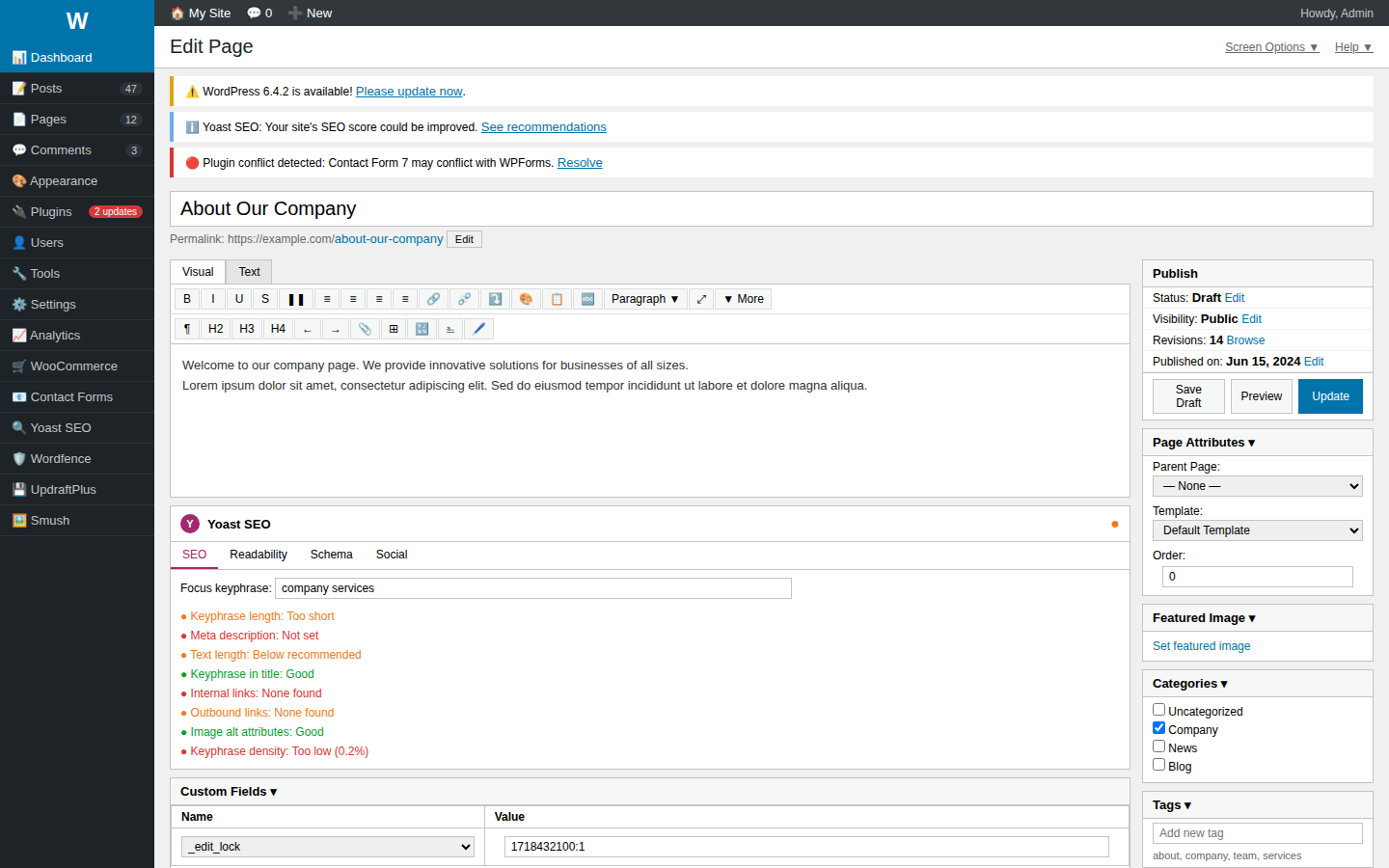
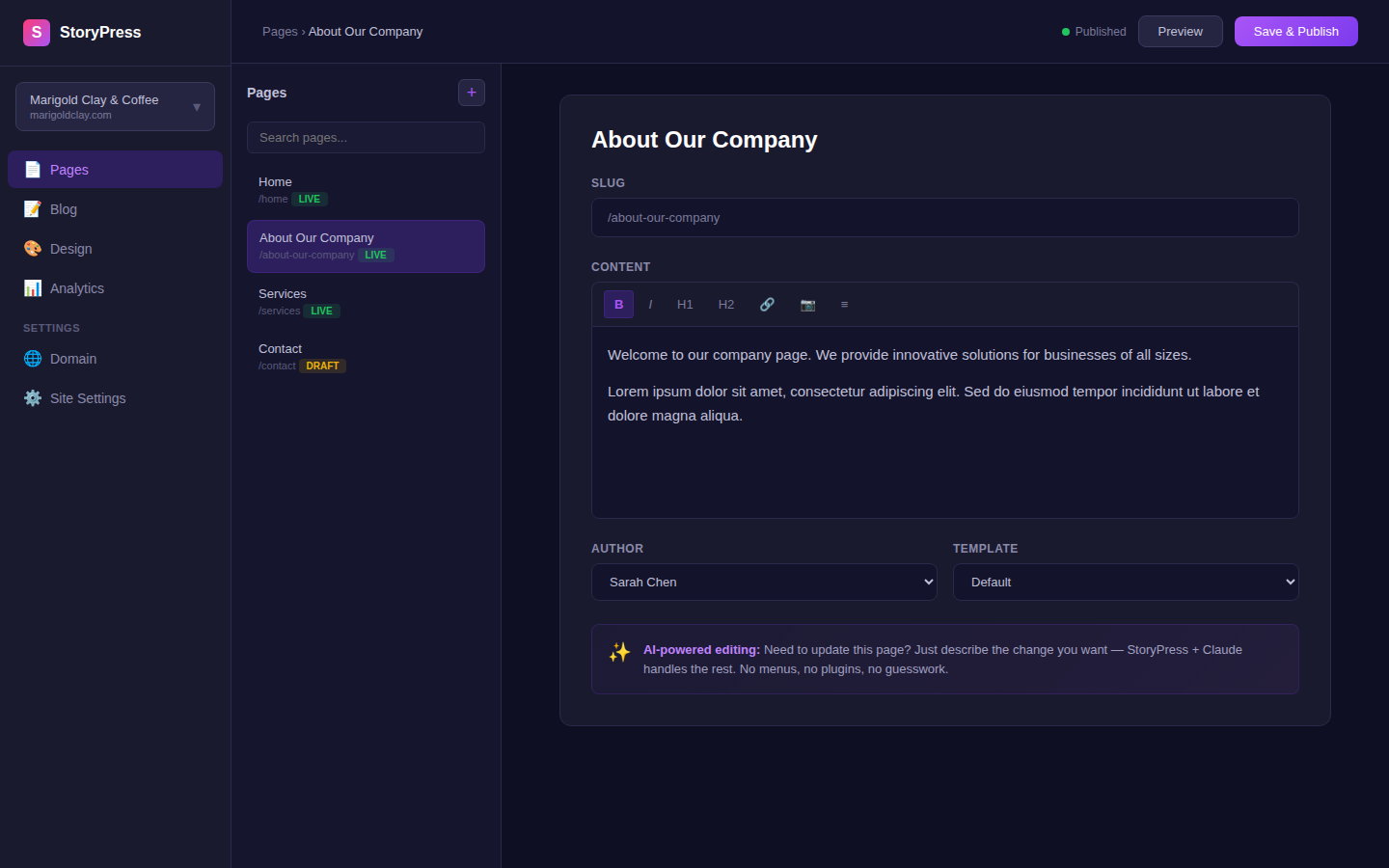
The handoff works when the client can edit without calling you. Here is the difference between a typical CMS and a simple one.
Part 1: Give the right amount of access (it is less than you think)
The single most common handoff mistake is handing over the admin login. Full admin access means the client can edit text, and also delete pages, uninstall things, and rearrange the layout you spent two weeks getting right. Then they call you to un-break it, and now you are doing free work that is also stressful.
Every serious platform has an editor-level role for exactly this reason. In WordPress it is the Editor role; Webflow and Framer both have a content-editor tier; site builders vary. Whatever the platform calls it, the test is the same:
How to verify: log in as the client's account yourself and try to break something. If you can drag a section or delete the homepage, the role is too powerful.
Part 2: Build guardrails before you hand over the keys
Access control decides what the client can touch. Guardrails decide what happens when they touch it. Fifteen minutes of setup here prevents most of the classic disasters:
How to verify: create a test blog post as the client would. If you can publish it with no image, no excerpt, and a 9MB photo, the guardrails are not done.
Part 3: Train them on their own site, and make them drive
A screen-share where you click around for 45 minutes feels like training but is not. People retain what they do, not what they watch. The version that sticks takes 20 minutes:
How to verify: a week later, ask them to make one small edit without you on the phone. If they can, the handoff worked. If they cannot, redo the 20 minutes; it is still cheaper than a year of free edits.
Part 4: The one-page cheat sheet (and the price list)
The final artifact is a single page, PDF or shared doc, that answers the questions the client will have at 9pm on a Sunday when you are not answering the phone:
How to verify: send the cheat sheet to someone in the client's office who was NOT on the training call. If they can log in and change the opening hours using only the sheet, it is done.
Clients who can make their own small edits do not stop calling their agency. They stop calling about typos and start calling about projects.
The uncomfortable variable: the platform
Everything above gets easier or harder depending on what you built the site on. A stack with plugins to update and hosting to babysit means even a perfect handoff leaves maintenance work that someone must own, and "someone" is usually you, unpaid. This is exactly why we built StoryPress the way we did: clients edit by literally asking an AI assistant to make the change, there are no plugins to update, and hosting maintenance does not exist, so an agency can hand over a $5/month site with nothing left to babysit. We wrote up how the AI editing works in the MCP server announcement.
Whatever platform you use, the playbook stands: right-sized access, guardrails, training where the client drives, and one page of documentation with prices on it. Do those four things on your next launch and count the support emails that never arrive.